
Create a Custom Forgot Password Page In WordPress
Here we will explain to you how to create a custom forgot password/reset password page in WordPress. This tutorial will help for making the custom front-end page where your subscriber, author, and many other roles of users will change their password to the system.
Step 1)
Make one template page in the WordPress active theme folder and put the below code there.
<?php
/* Template Name: Forgot Password Template */
get_header();
global $wpdb;
if( (isset($_REQUEST['update_confirm'])) AND ($_REQUEST['update_confirm']='update_confirm') ){
$newpass=md5($_POST['newpass']);
$usernameemail=$_POST['useremail'];
$kkey =$_POST['key'];
$wpdb->query($wpdb->prepare("UPDATE $wpdb->users SET user_pass='".$newpass."',user_activation_key='' WHERE (user_login='".$usernameemail."' OR user_email='".$usernameemail."') AND user_activation_key='".$kkey."' "));
echo "<span class='msgg-ok'>Your password has been reset.<br> <a href='/user-login/'>Log in</a></span>";
}
if( (isset($_REQUEST['update'])) AND ($_REQUEST['update']=='update')){
$username_email=$_POST['uemail'];
$Qry = $wpdb->get_results("SELECT user_login,user_email FROM $wpdb->users WHERE user_login='".$username_email."' OR user_email='".$username_email."'");
if($Qry[0]->user_login != '' && $Qry[0]->user_email != ''){
$email = $Qry[0]->user_email;
$user = $Qry[0]->user_login;
$homeurll=home_url('/');
$autogenerate_key =crypt($username_email);
$wpdb->query($wpdb->prepare("UPDATE $wpdb->users SET user_pass='".$newpass."',user_activation_key='".$autogenerate_key."' WHERE (user_login='".$username_email."' OR user_email='".$username_email."') "));
$mailmsg="Someone requested that the password be reset for the following account:\n$homeurll.\n\nUsername: $user\n\nIf this was a mistake, just ignore this email and nothing will happen.\n\nTo reset your password, visit the following address:\n$homeurll/forgot-password/?action=rp&key=$autogenerate_key&login=$user";
mail($email,'[The Pacifico Partnership] Password Reset',$mailmsg);
echo "<span class='msgg-ok'>Check your e-mail for the confirmation link.</span>";
}else{
echo "<span class='msg-errr'>Username or Email is not found.</span>";
$notfound="errror";
}
}
?>
<?php if($_GET['action']=='rp'){ ?>
<style>
#forget_display{display:none;}
</style>
<?php }
if((!$_POST) OR ($notfound!='')){
?>
<div id='forget_display'>
<form action='' method='post' onsubmit='return blank_field();'>
<div > <label>Please enter your username or email address.You will receive a link to create a new password via email.</label><br /><br />
<div> <input name='uemail' type='text' id='uemail' onfocus="if(this.value=='Enter Username/E-mail') this.value=";" onblur="if (this.value=='')
this.value='Enter Username/E-mail';" placeholder='Enter Username/E-mail'/></div> <input type='submit' value='Get New Password'/> </div>
<input type='hidden' name='update' value='update' />
</form>
</div>
<?php }?>
<?php if( (isset($_REQUEST['action'])) AND ($_REQUEST['action']=='rp')) {?>
<div>
<form action="<?php echo home_url('/') ?>?page_id=9" method="post" onsubmit="return blank_pfield();">
<div>
<label>Enter new password:</label><div> <input name="newpass" type="password" id="newpass"/> </div></div><br />
<div><label>Repeat password:</label><div> <input name="repeat-pass" type="password" id="repeat-pass"/> </div></div><br />
<div><label> </label> <input type="submit" value="Change password" /></div>
<input type="hidden" name="update_confirm" value="update_confirm"/>
<input type="hidden" value="<?php echo $_REQUEST['login'];?>" name="useremail" />
<input type="hidden" name="key" value="<?php echo $_REQUEST['key'];?>" />
</form>
</div>
<?php }?>
<script>
function blank_field()
{
if(document.getElementById('uemail').value=='Enter Username/E-mail')
{
alert("Please enter username or email");
return false;
}
else
{
return true;
}
}
function blank_pfield()
{
if(document.getElementById('newpass').value=='')
{
alert("Please enter new password");
return false;
}
if(document.getElementById('repeat-pass').value=='')
{
alert("Please enter repeat password");
return false;
}
if(document.getElementById('newpass').value!=document.getElementById('repeat-pass').value)
{
alert("Password do not match");
return false;
}
return true;
}
</script>
<?php get_footer(); ?>
<style>
.choko_register_box{margin: 0 auto;width: 50%;}
.choko_register_row_ctn{margin-bottom: 15px;}
.choko_register_row_ctn label{display: block;margin-bottom: 10px;}
.choko_register_row_ctn input{width: 97%;border-radius: 0}
.choko_register_row_ctn select{width: 100%;border-radius: 0}
.choko_register_error_msg{color: red;margin-bottom: 15px;}
</style>Step 2)
Now make a forgot password page in wp-admin/add new page. and select the "Forgot Password Template" as a template page. Update your page.
Step 3)
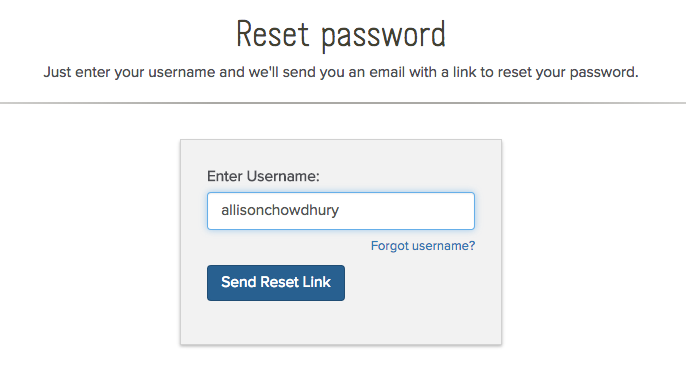
Now visit your page in the front end; it will display the custom forgot password form, where if the user exists, it will send an email link to reset the new password.
Great goods from you, man. I’ve understand your stufff previous to and you are just tooo excellent.
I really liike whbat you have acquired here, really like
what you are stating and the way in which you say it. You make
it entertaining and you still care for to keep iit wise.
I can not wait to read far more from you. This is actually a tremendohs site.
Your method of describing everything in this article is in fact nice, every one be able to without difficulty know it, Thanks a lot.